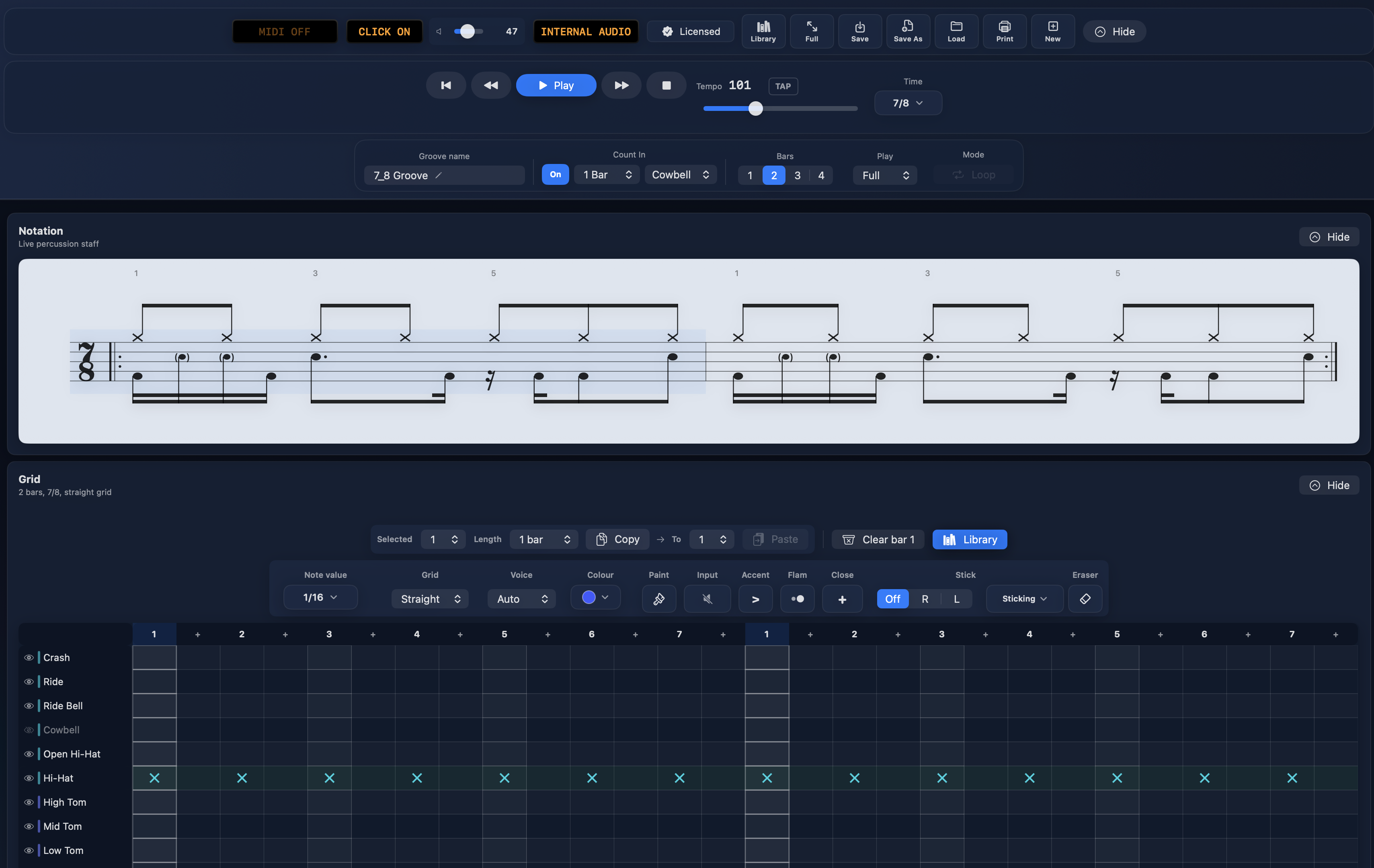
Sketch a groove on the step grid. Read it back as live percussion notation.
Print A4 worksheets for your students, send it to Logic Pro as MIDI, or just hit play.
A focused tool for writing, teaching, and practising drum parts.
Try BeatBake free for 7 days. Buy a licence when you’re ready.
macOS 14 or later
Free 7‑day trial
Free updates for v1.x
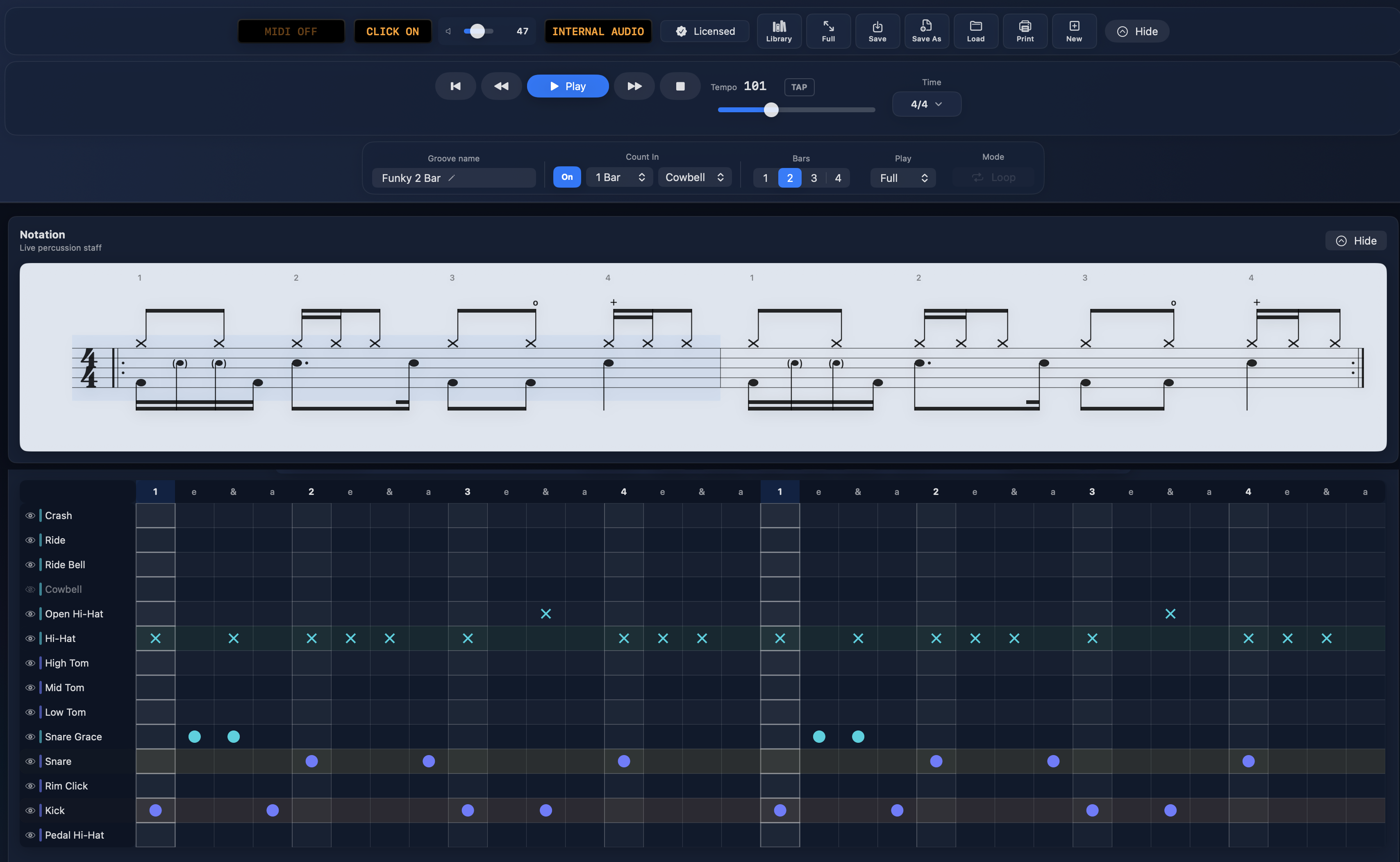
BeatBake — Funky 2 Bar.drumgroove
);
}
// ─── Features ──────────────────────────────────────────────────────────────
const FEATURES = [
{ icon: "staff", title: "Live percussion notation",
body: "Every note you place on the grid renders instantly as proper drum notation — stems, beams, dotted values, rests, triplet brackets, accents and hi‑hat marks. Ghost notes and grace notes render properly too, engraved with the Bravura music font." },
{ icon: "grid", title: "Clickable step grid",
body: "Write 1‑4 bars in straight, triplet or 32nd‑note grid modes. Time signatures from 2/4 to 12/8 — including 5/4, 7/8 and 5/8. Copy and paste bars across the groove to build ideas out fast." },
{ icon: "midi", title: "MIDI Out & playback",
body: "Route to Logic Pro or any DAW, or use the built‑in sound engine for offline practice. Loop the whole groove or play just one bar. Tap tempo, click track, and count‑ins that count odd meters properly — 7/8 counts to seven." },
{ icon: "sheet", title: "Worksheets for teaching",
body: "Build A4 exercise pages bar by bar, save reusable templates, then play through each exercise on loop — with a fresh count‑in between exercises. Numbered layout designed for clean teaching handouts." },
{ icon: "preset", title: "Practice Library",
body: "Grooves, worksheets and rudiments — saved by name, searchable, always in reach. Comes stocked with built‑in presets and teaching templates, so the library is useful from your first session." },
{ icon: "print", title: "Print & PDF export",
body: "Print full groove scores or worksheet pages as true vector output — crisp, engraved notation at any size. Save as PDF via the macOS print dialog — no extra setup, no fighting a notation package." },
];
function Features({ accent, showIcons }) {
return (
§ 01Features
writing · teaching · practice
Everything you need to write a part — and nothing you don't.
{FEATURES.map((f, i) => {
const I = Icon[f.icon];
return (
0{i + 1}
{showIcons && (
)}
{f.title}
{f.body}
);
})}
);
}
// ─── Teaching tools ────────────────────────────────────────────────────────
const TEACHING = [
{ mark: "R\u2009L", title: "R/L sticking & voice control",
body: "Add right/left stickings above any note, and move notes between voices — singles, doubles and paradiddles voiced around the kit." },
{ mark: "\u2016:", title: "Repeat-mark exercises",
body: "Worksheet exercises print with proper repeat marks, so handouts read like real practice material — not screenshots." },
{ mark: "1\u20138\u00d7", title: "Loop each exercise 1–8 times",
body: "Set how many times to loop each numbered exercise before the page advances. Hands-free practice through a worksheet." },
{ mark: "\u2922", title: "Play-along full screen",
body: "A big, clean score for the lesson-room display. Auto-scrolls bar by bar with the playhead, with giant count-in numerals between exercises." },
{ mark: "\u25C9", title: "Note colour palette",
body: "Colour-code notes on the grid for teaching, grouping or visual practice cues. Stays visible in the live notation view." },
{ mark: "\u29B8", title: "Show / hide instruments",
body: "Hide guide parts from the printed notation while keeping them in the grid. Clean handouts without rebuilding the groove." },
];
function Teaching({ accent }) {
return (
§ 02Teaching tools
built for lessons
Not just a groove editor — a lesson and practice tool.
If you teach drums (or you're teaching yourself), BeatBake handles the lesson-room details a notation package usually makes you fight for.
Turn an afternoon of writing into a stack of printable exercises. Save your favourites to the Practice Library and balance every voice in the mixer — all without ever leaving the page you're working on.
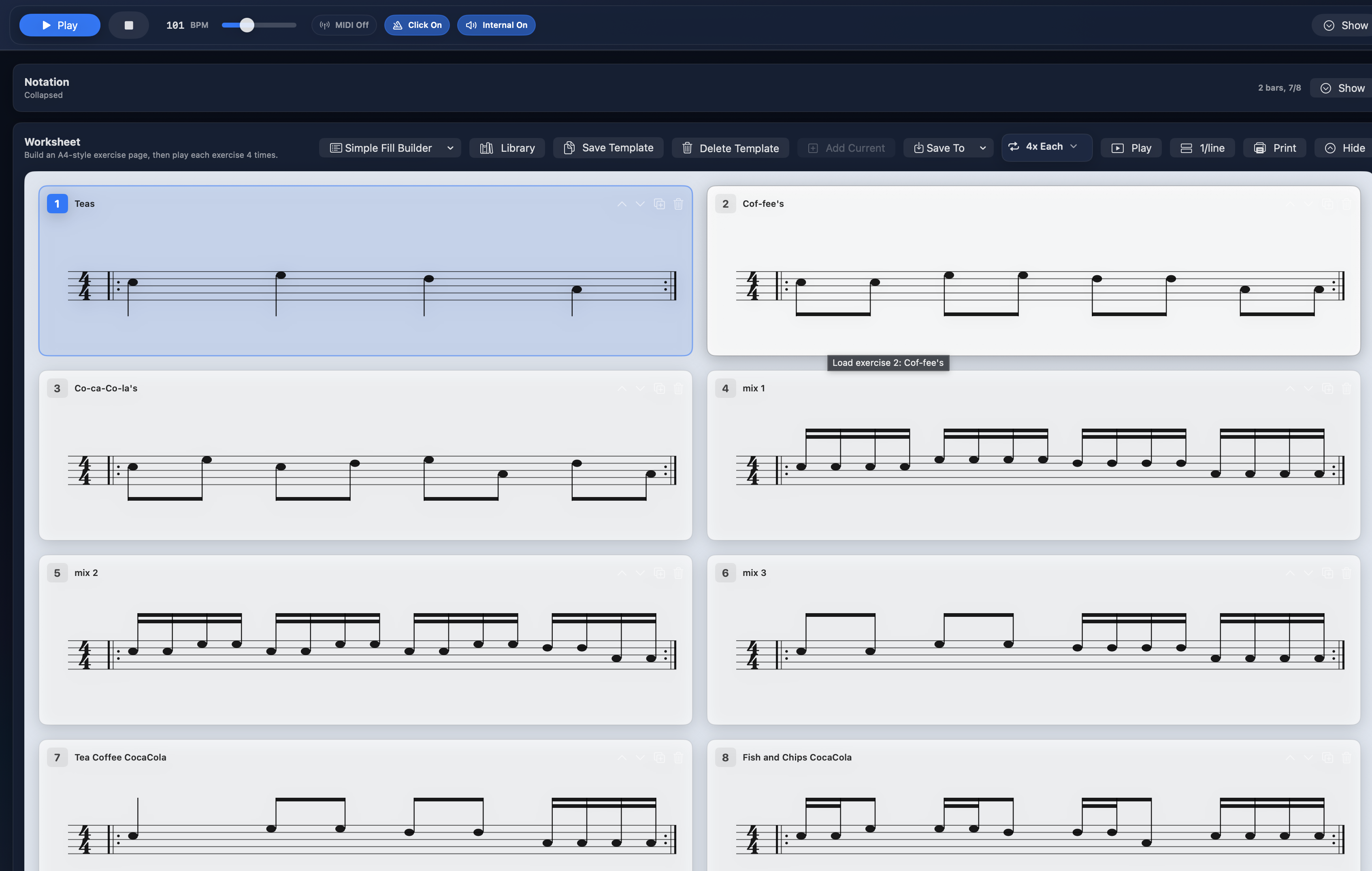
The same drum‑editor, rebuilt for touch. Sketch grooves with your fingers, read them back as live notation, and take your worksheets wherever you teach.
Try everything free for 7 days. After the trial, saving your work, printing, and MIDI Out require a licence — your grooves stay on your Mac either way.
Secure checkout via Lemon Squeezy. Card, Apple Pay, PayPal. Licence key by email within 60 seconds.